




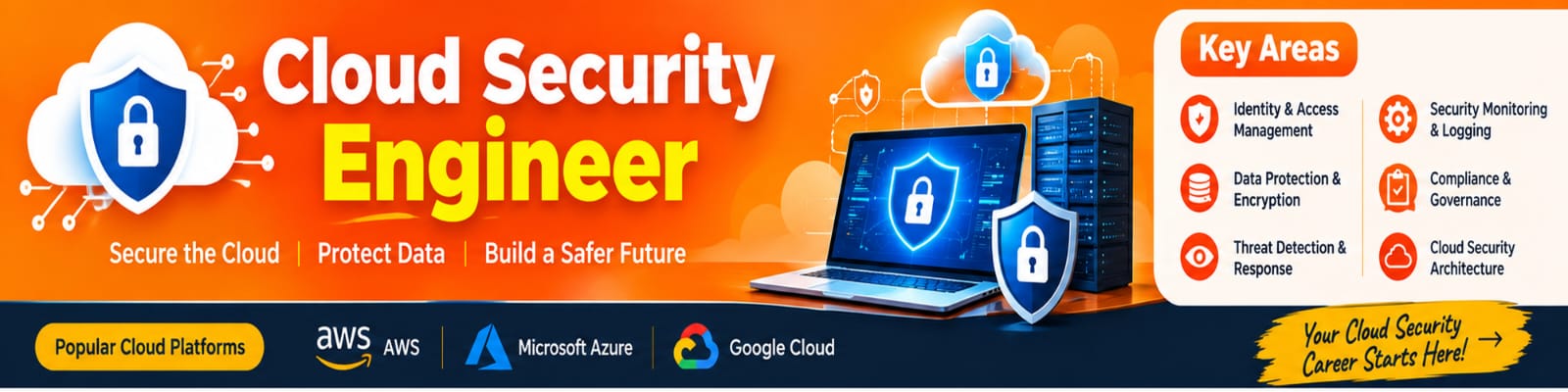
.Cloud Computing Security: A Complete BLOG to Protecting Data, Applications and Cloud Infrastructure
Introduction
Cloud computing has transformed the way businesses store data, run applications, and manage IT infrastructure. Organizations of all sizes are moving their workloads to cloud platforms such as AWS, Microsoft Azure, and Google Cloud because of scalability, flexibility, cost efficiency, and easy access to computing resources.
However, as cloud adoption increases, cloud computing security has become a critical priority. Sensitive business information, customer data, applications, databases, and infrastructure are now hosted in cloud environments, making security an essential part of every cloud strategy.
Cloud computing security refers to the technologies, policies, processes, and security controls used to protect cloud-based infrastructure, applications, networks, and data from unauthorized access, cyberattacks, data breaches, and other security threats.
What is Cloud Computing Security?
Cloud computing security is a collection of security practices designed to protect cloud resources and services from threats.
It focuses on protecting:
Cloud infrastructure
Applications
Databases
Virtual machines
Storage
Networks
User identities
APIs
Sensitive business data
Cloud security combines technologies such as Identity and Access Management (IAM), encryption, firewalls, network security, vulnerability management, monitoring, and threat detection.
The main objective is to ensure the confidentiality, integrity, and availability of cloud resources.
Why is Cloud Computing Security Important?
Businesses depend heavily on cloud platforms for their daily operations. A security incident can result in financial loss, data theft, service disruption, and damage to an organization's reputation.
Some important reasons for implementing strong cloud security include:
1. Data Protection
Organizations store large amounts of sensitive information in cloud environments. Encryption and access controls help prevent unauthorized users from accessing this data.
2. Protection Against Cyberattacks
Cloud environments can be targeted by malware, phishing, ransomware, DDoS attacks, credential theft, and other cyber threats.
3. Regulatory Compliance
Organizations may need to comply with industry and government regulations related to data protection and privacy.
4. Secure Remote Access
Cloud applications can be accessed from different locations and devices. Strong authentication and access policies help secure remote access.
5. Business Continuity
Security and backup strategies help organizations recover from incidents and reduce downtime.
Major Components of Cloud Computing Security
1. Identity and Access Management
Identity and Access Management, commonly called IAM, controls who can access cloud resources and what actions they are allowed to perform.
Organizations should follow the Principle of Least Privilege, which means users should receive only the permissions they actually need.
Important IAM practices include:
Strong passwords
Multi-factor authentication
Role-based access control
Least-privilege permissions
Regular access reviews
Removal of inactive accounts
2. Data Encryption
Encryption protects data by converting readable information into an encoded format.
Cloud environments generally require protection for:
Data at Rest:
Data stored in databases, disks, and storage services.
Data in Transit:
Data moving between users, applications, servers, and cloud services.
Encryption helps reduce the risk of sensitive information being exposed if unauthorized access occurs.
3. Network Security
Cloud network security protects communication between users, applications, servers, and cloud services.
Common security mechanisms include:
Firewalls
Security groups
Network access controls
Virtual private networks
Network segmentation
Private endpoints
DDoS protection
Proper network segmentation can prevent an attacker who compromises one resource from easily accessing the entire cloud environment.
4. Application Security
Applications deployed in the cloud must be protected throughout their development and deployment lifecycle.
Security practices include:
Secure coding
Vulnerability scanning
Dependency management
API security
Application testing
Web application firewalls
Regular security updates
Integrating security into the development process is commonly known as DevSecOps.
5. Cloud Security Monitoring
Continuous monitoring helps organizations detect suspicious activities and security incidents.
Security teams can monitor:
Login activities
Failed authentication attempts
Network traffic
Resource changes
API calls
Configuration changes
Unusual user behavior
Security monitoring tools can generate alerts when potentially malicious activities are detected.
Common Cloud Security Threats
Cloud environments face several types of cybersecurity threats.
Data Breaches
A data breach occurs when unauthorized individuals gain access to confidential information.
Misconfiguration
Incorrect cloud configurations are one of the common causes of security incidents. Examples include publicly accessible storage, excessive permissions, or improperly configured network rules.
Account Hijacking
Attackers may steal usernames, passwords, API keys, or access tokens and use them to access cloud resources.
Malware and Ransomware
Malware can infect systems and potentially disrupt cloud workloads or compromise sensitive data.
DDoS Attacks
Distributed Denial-of-Service attacks attempt to overwhelm applications or services with large amounts of traffic.
Insider Threats
Employees, contractors, or other authorized users may intentionally or accidentally expose sensitive information.
Insecure APIs
APIs are heavily used in cloud environments. Poorly secured APIs can provide attackers with opportunities to access applications and data.
Best Practices for Cloud Computing Security
Organizations can improve cloud security by implementing the following best practices.
Use Multi-Factor Authentication
MFA provides an additional layer of protection beyond passwords. Even if a password is compromised, an attacker may still be unable to access the account without the additional authentication factor.
Follow the Principle of Least Privilege
Give users and applications only the permissions they require.
Encrypt Sensitive Data
Use encryption for sensitive information both at rest and in transit.
Monitor Cloud Activity
Enable logging and monitoring to identify suspicious behavior and unauthorized changes.
Regularly Update Systems
Keep operating systems, applications, containers, libraries, and security tools updated.
Secure APIs
Use authentication, authorization, encryption, input validation, rate limiting, and proper API monitoring.
Perform Security Audits
Regular security assessments can identify vulnerabilities, misconfigurations, and excessive permissions.
Maintain Backups
Regular backups can help organizations recover from accidental deletion, system failures, ransomware, and other incidents.
Cloud Security and the Shared Responsibility Model
One of the most important concepts in cloud security is the Shared Responsibility Model.
Cloud providers are responsible for securing the underlying cloud infrastructure, while customers are responsible for securing many aspects of what they deploy and configure in the cloud.
For example:
Cloud Provider Responsibilities
Physical data centers
Hardware
Core infrastructure
Physical networking
Underlying cloud services
Customer Responsibilities
User accounts
Access permissions
Data
Applications
Operating system configuration, depending on the service model
Security settings
The exact responsibilities vary between IaaS, PaaS, and SaaS services.
Understanding this model helps organizations avoid assuming that the cloud provider automatically secures everything.
Cloud Computing Security in AWS, Azure and Google Cloud
Major cloud providers offer many security services and capabilities.
AWS Security
AWS provides services and features for:
Identity and access management
Network protection
Encryption
Security monitoring
Threat detection
Compliance
Microsoft Azure Security
Azure provides security capabilities for:
Identity management
Network security
Data protection
Security monitoring
Threat detection
Cloud workload protection
Google Cloud Security
Google Cloud provides security capabilities for:
Identity and access control
Data encryption
Network security
Security monitoring
Threat detection
Although the tools and names differ, the fundamental security principles remain similar across cloud providers.
Cloud Security Best Practices for Businesses
A strong cloud security strategy should include multiple layers of protection.
A business can follow this approach:
Identify → Protect → Detect → Respond → Recover
Identify
Understand cloud assets, users, applications, and potential risks.
Protect
Implement IAM, encryption, firewalls, secure configurations, and other preventive controls.
Detect
Monitor logs, network traffic, user activity, and security alerts.
Respond
Create an incident response plan for security events.
Recover
Restore systems and data using backups and disaster recovery procedures.
Future of Cloud Computing Security
As organizations increasingly adopt AI, containers, Kubernetes, serverless computing, multi-cloud, and hybrid cloud environments, cloud security is becoming more complex.
Future cloud security will increasingly focus on:
Zero Trust Security
AI-powered threat detection
Automated security monitoring
Cloud-native security
DevSecOps
Identity-based security
Continuous compliance
Automated incident response
Organizations will need to treat security as an ongoing process rather than a one-time implementation.
Conclusion
Cloud computing security is essential for protecting modern digital infrastructure. As organizations continue moving applications, databases, and business operations to the cloud, security must be integrated into every stage of cloud adoption.
By implementing strong IAM policies, encryption, network security, monitoring, vulnerability management, secure APIs, backups, and the Principle of Least Privilege, organizations can significantly improve their cloud security posture.
Whether an organization uses AWS, Azure, Google Cloud, or a multi-cloud environment, understanding cloud security fundamentals is essential for building reliable, scalable, and secure cloud infrastructure.