




Continuous Integration (CI) in DevOps – Blog
Introduction
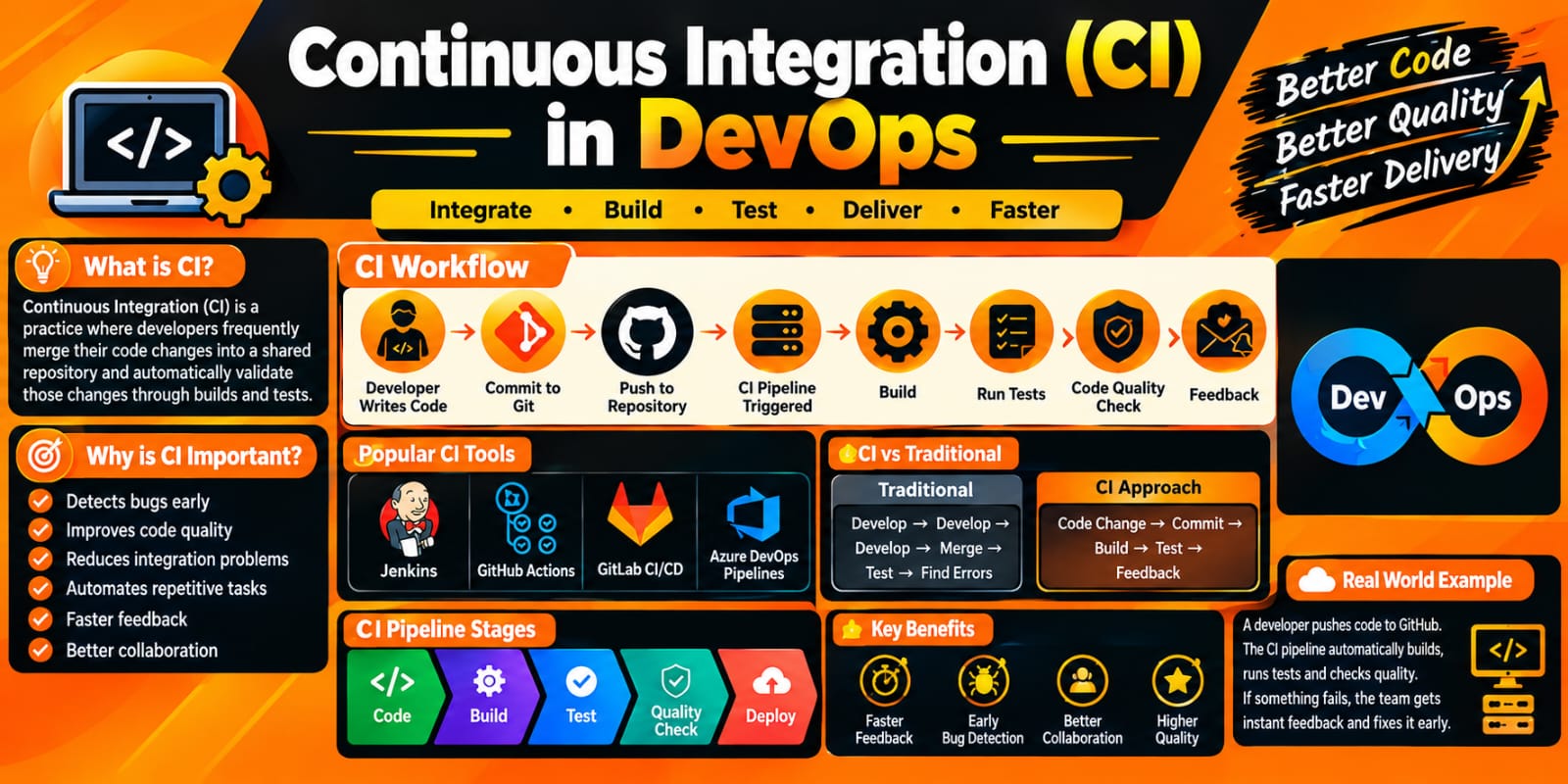
Continuous Integration (CI) is an important practice in DevOps that helps development teams integrate code changes frequently into a shared repository. Whenever developers make changes to the application, those changes are automatically built and tested to identify errors as early as possible.
CI improves software quality, reduces integration problems, and helps teams deliver software faster and more reliably.
What is Continuous Integration?
Continuous Integration is a software development practice where developers regularly merge their code changes into a central repository. An automated CI pipeline then performs tasks such as:
Source code checkout
Code compilation
Automated testing
Code quality analysis
Build creation
Error and failure reporting
The main purpose of CI is to detect problems early instead of waiting until the end of the development cycle.
Why is CI Important in DevOps?
In a traditional development process, developers may work separately for several days or weeks before combining their code. This can create integration conflicts and make bugs difficult to identify.
With CI, developers integrate their changes frequently. Automated processes immediately validate those changes.
Major benefits of CI:
Early bug detection
Faster development
Automated testing
Improved code quality
Reduced integration conflicts
Faster feedback
Reliable software builds
Better team collaboration
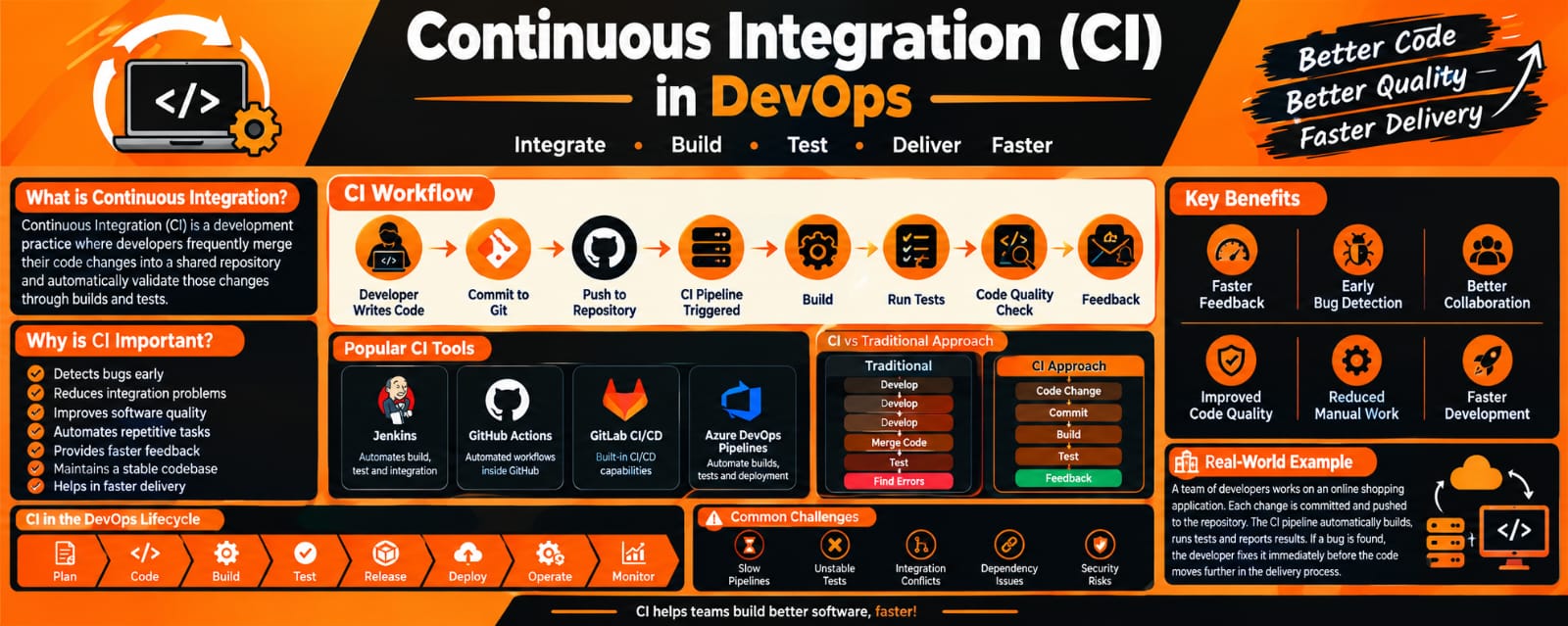
How Continuous Integration Works
A typical CI workflow looks like this:
Developer → Git Repository → CI Server → Build → Test → Quality Check → Feedback
Step 1: Developer Writes Code
A developer creates or modifies application code on their local system.
Step 2: Code Commit
The developer commits the changes to a version control system such as Git.
Step 3: Code Push
The changes are pushed to a shared repository such as GitHub, GitLab, or Bitbucket.
Step 4: CI Pipeline Starts
The CI tool automatically detects the new code change and starts the pipeline.
Step 5: Build
The application is compiled or packaged to verify that the new code can be successfully built.
Step 6: Automated Testing
Automated tests are executed to identify bugs and unexpected behavior.
Step 7: Code Quality Check
Tools can analyze the source code for quality issues, vulnerabilities, coding standards, and other problems.
Step 8: Feedback
The CI system provides the result to the development team. If the pipeline fails, developers can investigate and fix the issue quickly.
Popular CI Tools
Several tools are commonly used to implement Continuous Integration:
Jenkins
GitHub Actions
GitLab CI/CD
Azure Pipelines
AWS CodeBuild
CircleCI
TeamCity
These tools can automate builds, testing, code analysis, and other development activities.
CI Pipeline Example
A simple CI pipeline can contain the following stages:
Code Commit
     ↓
Source Code Checkout
     ↓
Build
     ↓
Unit Testing
     ↓
Code Quality Analysis
     ↓
Package Application
     ↓
Pipeline Result
If any important stage fails, the team receives immediate feedback and can correct the problem.
Continuous Integration vs Continuous Delivery
Continuous Integration (CI) focuses mainly on integrating code changes and automatically building and testing them.
Continuous Delivery (CD) takes the process further by preparing validated application changes for release or deployment.
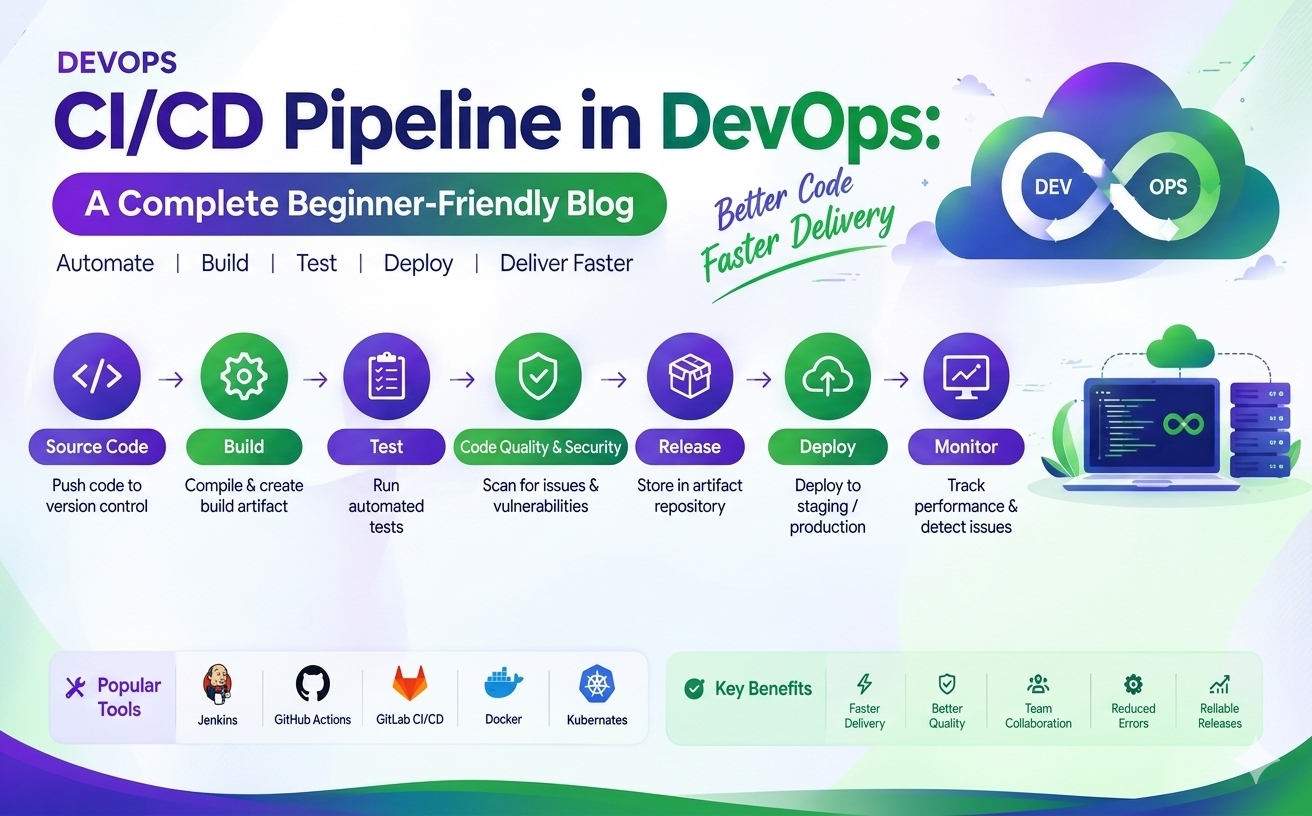
In a DevOps environment, CI and CD are often combined to create an automated software delivery pipeline.
Best Practices for CI
To implement CI effectively, teams should follow practices such as:
Commit code frequently.
Keep changes small and manageable.
Maintain a reliable automated test suite.
Automate the build process.
Run tests automatically after code changes.
Fix failed builds quickly.
Keep the CI pipeline simple and reliable.
Monitor pipeline performance and failures.
Use version control consistently.
Include security and code-quality checks where appropriate.
CI in a DevOps Environment
CI is an important part of the DevOps lifecycle because it connects development activities with automated validation.
A common DevOps workflow is:
Plan → Code → Build → Test → Release → Deploy → Operate → Monitor
Continuous Integration mainly supports the Code, Build, and Test stages while providing rapid feedback to developers.
Conclusion
Continuous Integration (CI) helps DevOps teams integrate code changes frequently and validate them automatically. By using automated builds, testing, and quality checks, organizations can identify problems earlier and improve the reliability of their software development process.
CI is therefore an important foundation for building efficient and automated DevOps and CI/CD pipelines.