




CI/CD Pipeline in DevOps: How Continuous Integration and Continuous Delivery Work
Introduction
In modern software development, applications need to be developed, tested, and released quickly. Traditional software development methods often involve many manual steps, which can cause delays, errors, and deployment problems.
CI/CD is one of the most important practices in DevOps that helps teams automate the software development and delivery process.
CI/CD stands for Continuous Integration and Continuous Delivery or Continuous Deployment. It enables development teams to frequently integrate code, automatically test applications, and deliver software more reliably.
What is CI/CD?
CI/CD is a combination of practices and automation processes used to build, test, and deploy software applications.
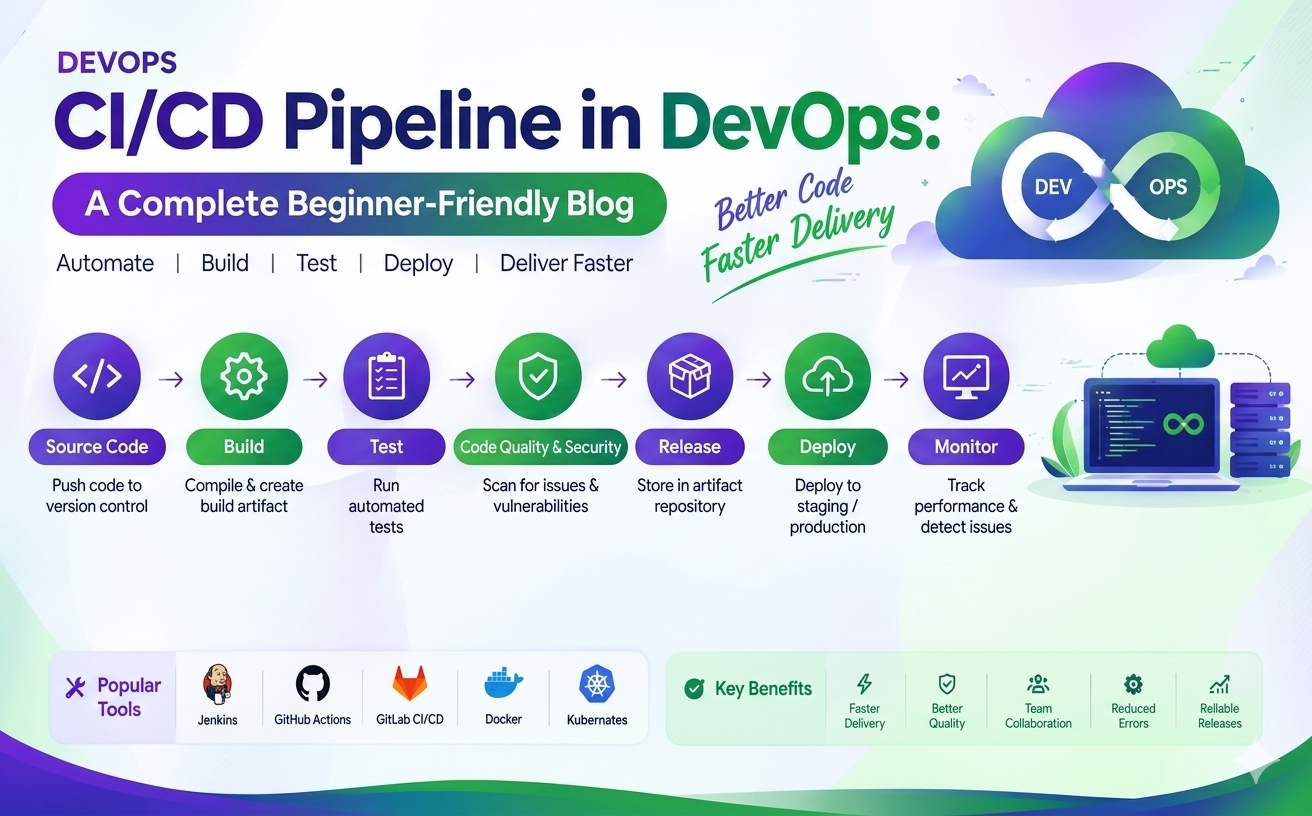
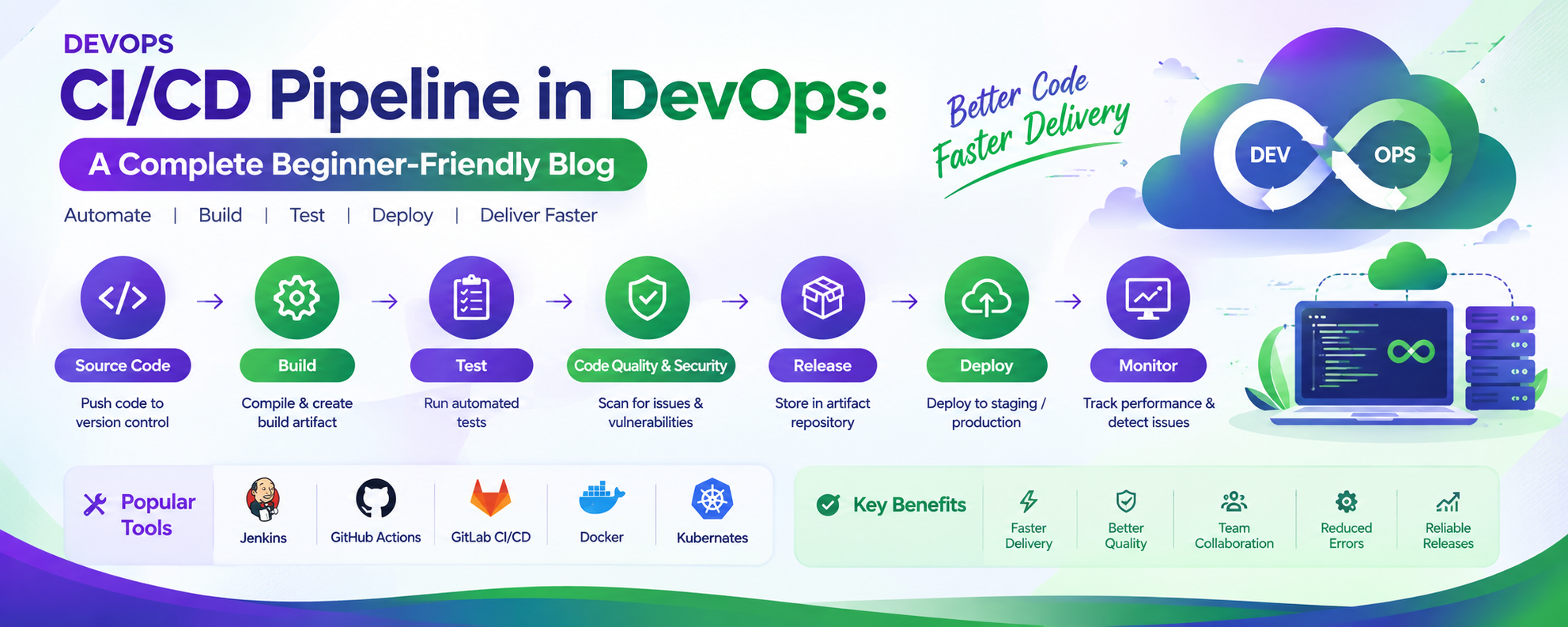
A typical CI/CD pipeline automatically moves code through different stages:
Code → Build → Test → Release → Deploy → Monitor
This automation reduces manual effort and helps development teams deliver software updates faster.
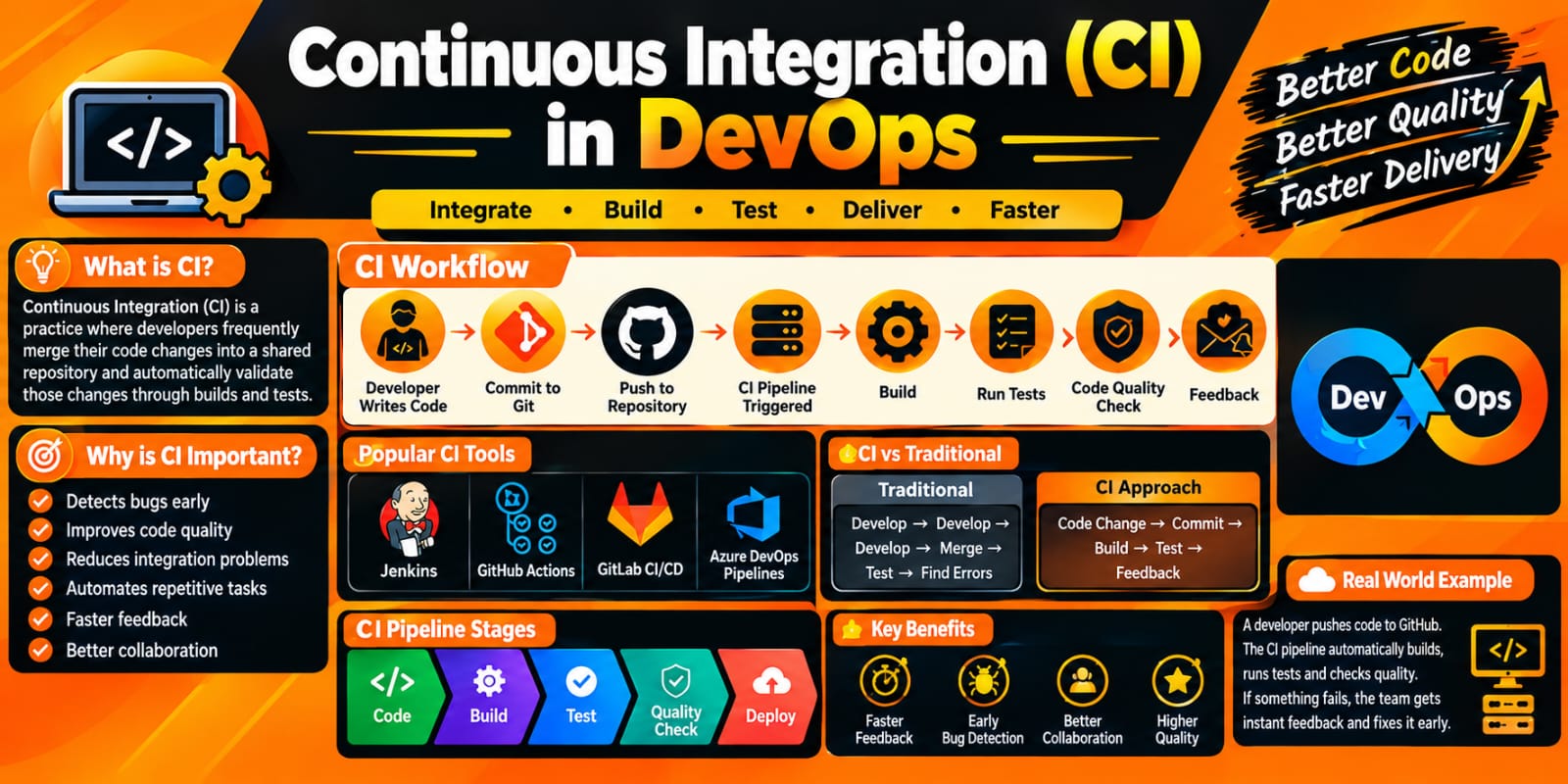
What is Continuous Integration (CI)?
Continuous Integration is the practice of frequently integrating code changes into a shared repository.
Developers may work on different features or bug fixes. When they complete their changes, they push the code to a version control system such as Git.
The CI system automatically performs tasks such as:
Checking the source code
Building the application
Running automated tests
Identifying errors
Generating build artifacts
If a problem is detected, the team can identify and fix it early.
Benefits of Continuous Integration
Detects bugs early
Reduces integration problems
Improves code quality
Automates testing
Provides faster feedback
Makes collaboration easier
What is Continuous Delivery?
Continuous Delivery is the practice of keeping application changes in a deployable state.
After the code passes automated build and testing stages, the application is packaged and prepared for deployment.
The deployment to production may still require a manual approval.
For example:
Developer → Git → Build → Test → Staging → Manual Approval → Production
This approach helps organizations release software reliably whenever required.
What is Continuous Deployment?
Continuous Deployment goes one step further.
In Continuous Deployment, changes that successfully pass all required automated tests can be deployed automatically to the production environment without a manual approval step.
The basic flow can be:
Code → Build → Test → Deploy → Production
Continuous Deployment requires strong automated testing and reliable deployment processes.
CI vs Continuous Delivery vs Continuous Deployment
| Practice | Main Purpose |
|---|---|
| Continuous Integration | Frequently integrate and test code changes |
| Continuous Delivery | Keep tested software ready for deployment |
| Continuous Deployment | Automatically deploy validated changes to production |
What is a CI/CD Pipeline?
A CI/CD pipeline is an automated workflow that moves application code through different stages of software delivery.
A typical pipeline contains:
1. Source Code
Developers write application code and push their changes to a repository such as GitHub, GitLab, or Bitbucket.
2. Build
The pipeline retrieves the source code and builds the application.
Dependencies are installed, source code is compiled when required, and application packages are created.
3. Testing
Automated tests are executed to verify application functionality.
Testing can include:
Unit testing
Integration testing
Functional testing
Security testing
4. Package
After successful testing, the application can be packaged into a deployable artifact.
For containerized applications, a Docker image may be created.
5. Deployment
The application is deployed to an environment such as:
Development
Testing
Staging
Production
6. Monitoring
After deployment, the application and infrastructure are monitored.
Monitoring helps teams identify:
Application errors
Performance problems
Resource usage
Service failures
Availability issues
Popular CI/CD Tools
Several tools can be used to create CI/CD pipelines.
Jenkins
Jenkins is a popular automation server used to create and execute CI/CD pipelines.
It can integrate with Git, Docker, cloud platforms, testing tools, and many other technologies.
GitHub Actions
GitHub Actions allows developers to automate workflows directly within GitHub repositories.
It can be used for:
Building applications
Running tests
Creating Docker images
Deploying applications
Automating workflows
GitLab CI/CD
GitLab provides built-in CI/CD capabilities that allow teams to define automated pipelines using configuration files.
Azure DevOps
Azure DevOps provides services for source control, CI/CD pipelines, project management, testing, and application delivery.
CI/CD with Docker
Docker is commonly used with CI/CD pipelines.
A typical workflow can be:
Developer → Git → CI Pipeline → Docker Build → Docker Image → Registry → Deployment
The pipeline can automatically build a Docker image whenever new code is committed.
The image can then be stored in a container registry such as Docker Hub or a cloud container registry.
CI/CD with Kubernetes
Kubernetes can be used as the deployment platform for containerized applications.
A CI/CD pipeline can:
Build the application
Run automated tests
Build a Docker image
Push the image to a container registry
Update the Kubernetes deployment
Deploy the new application version
Monitor the application
This creates an automated application delivery process.
Example of a CI/CD Workflow
Consider an application development team.
A developer makes a change to the application and pushes the code to Git.
The CI/CD pipeline is triggered automatically.
Step 1: Code is retrieved from the repository.
Step 2: The application is built.
Step 3: Automated tests are executed.
Step 4: A Docker image is created.
Step 5: The Docker image is pushed to a container registry.
Step 6: The application is deployed to the staging environment.
Step 7: Additional validation is performed.
Step 8: The application is deployed to production according to the organization's release process.
This automation significantly reduces manual work.
Benefits of CI/CD
Faster Software Delivery
Automation allows teams to release software updates more frequently.
Early Bug Detection
Automated testing helps identify problems soon after code changes are introduced.
Reduced Manual Work
Build, testing, packaging, and deployment tasks can be automated.
Consistent Deployments
Automated pipelines follow predefined steps, reducing the possibility of manual configuration errors.
Better Collaboration
Developers, testers, and operations teams can work together using a common delivery process.
Faster Feedback
Developers receive feedback about build and test failures quickly.
Best Practices for CI/CD
To build an effective CI/CD pipeline, organizations should consider:
Keep code in version control
Automate builds
Automate testing
Use small and frequent code changes
Secure pipeline credentials
Monitor pipeline failures
Maintain separate environments
Use Infrastructure as Code where appropriate
Implement automated security checks
Keep deployment processes consistent
CI/CD and DevOps
CI/CD is an important part of DevOps because it connects development and operations through automation.
DevOps focuses on collaboration, automation, continuous feedback, and reliable software delivery.
CI/CD supports these goals by automating the movement of application changes from development to deployment.
Conclusion
CI/CD is a fundamental practice in modern DevOps. It helps organizations automate the process of building, testing, packaging, and deploying applications.
By implementing CI/CD, teams can reduce manual effort, detect issues earlier, improve deployment consistency, and deliver software updates more efficiently.
Tools such as Jenkins, GitHub Actions, GitLab CI/CD, Azure DevOps, Docker, and Kubernetes can be combined to create powerful automated software delivery pipelines.
For anyone learning DevOps, understanding CI/CD pipelines is an essential step toward building practical DevOps skills.