




What Is Microsoft Azure? A Complete BLOG to Microsoft’s Cloud Platform
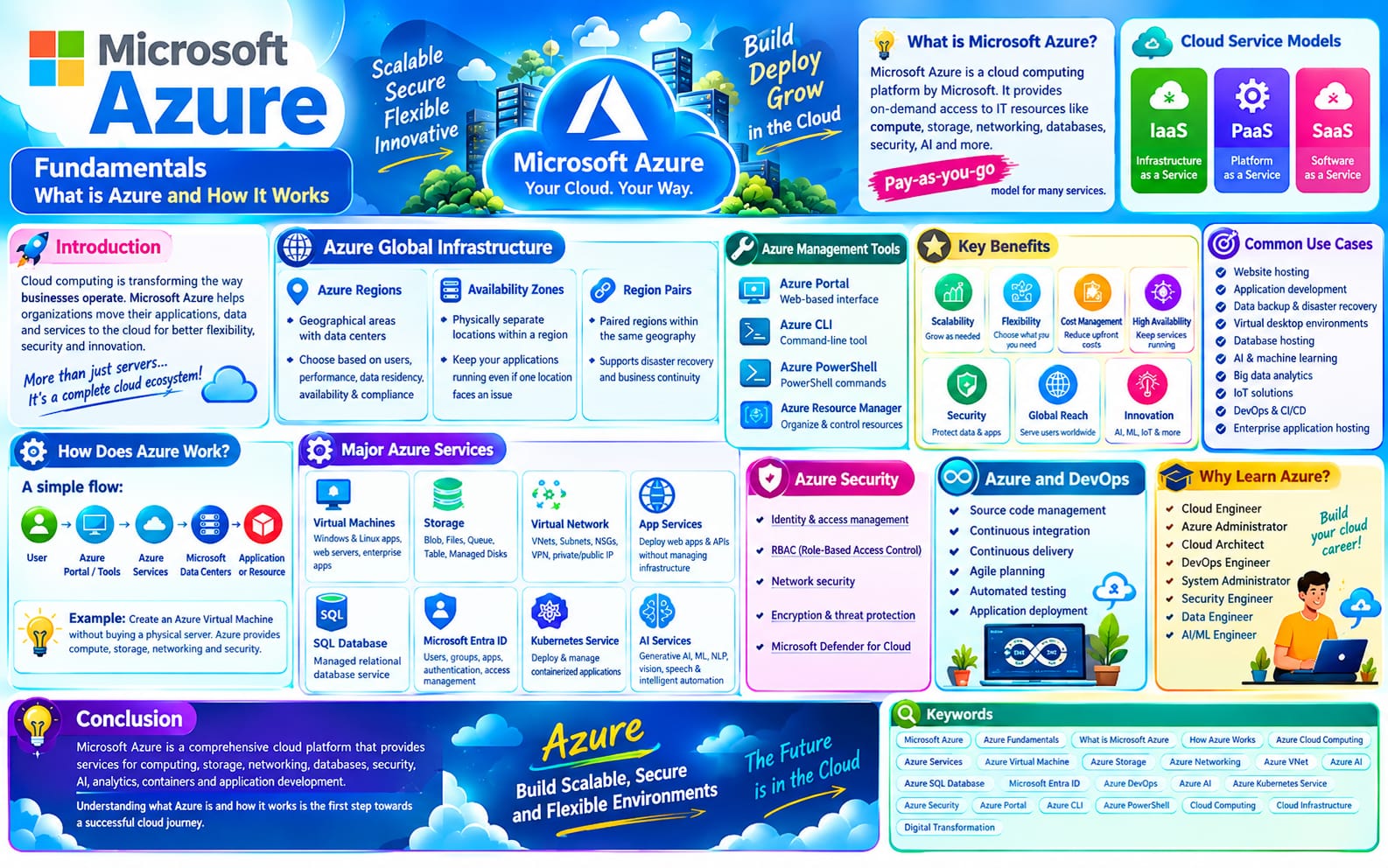
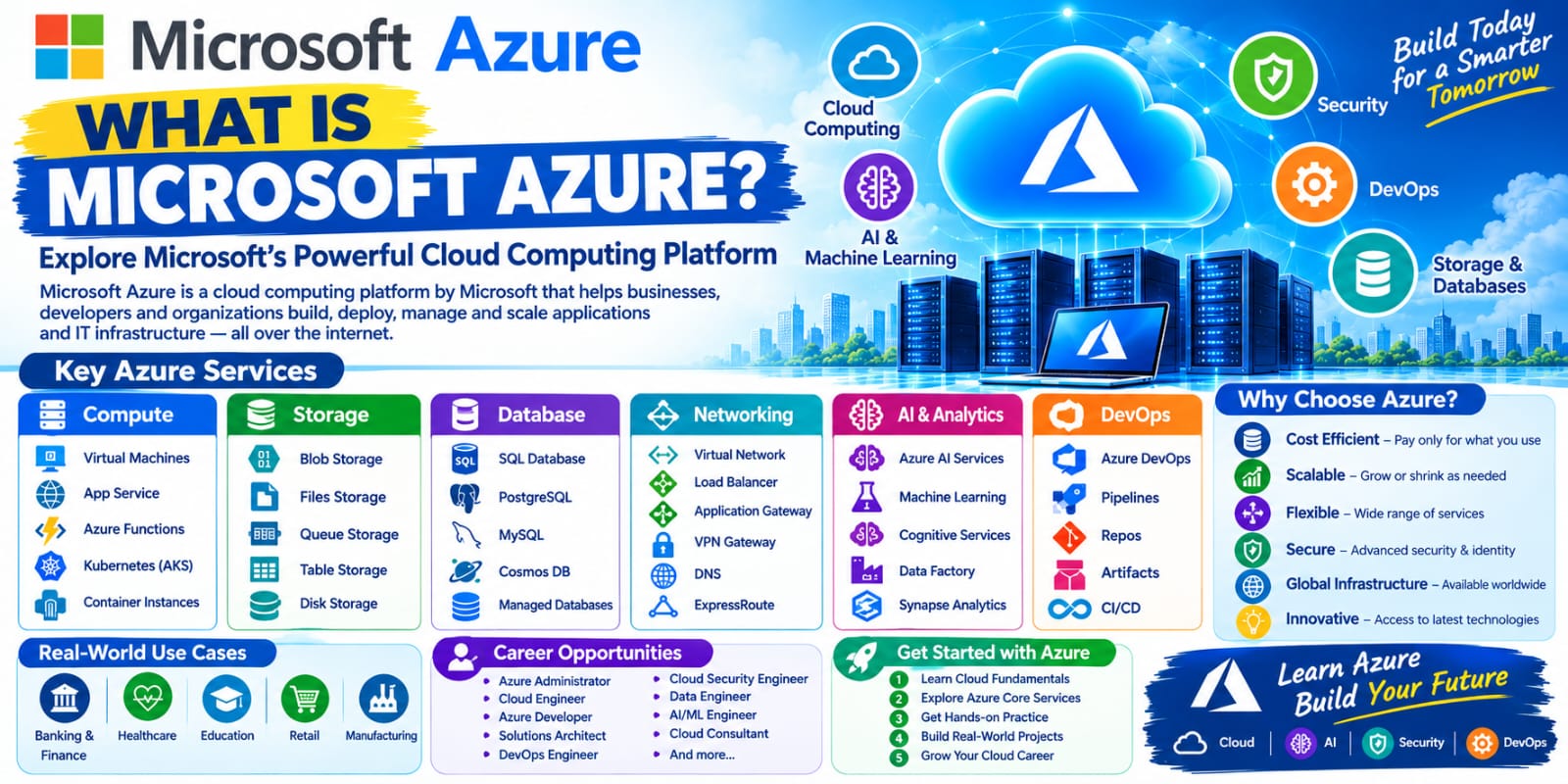
Microsoft Azure is one of the world’s leading cloud computing platforms. It provides businesses, developers, organizations, and individuals with a wide range of cloud-based services for building, deploying, managing, and scaling applications and IT infrastructure.
Instead of purchasing and maintaining expensive physical servers, organizations can use Azure to access computing power, storage, databases, networking, security, artificial intelligence, analytics, and many other services over the internet.
What Is Microsoft Azure?
Microsoft Azure is a cloud computing platform developed by Microsoft. It allows users to access IT resources and services on demand through Microsoft’s global cloud infrastructure.
Azure supports different types of cloud solutions, including:
Virtual machines
Cloud storage
Databases
Networking
Web applications
Containers
Artificial Intelligence
Machine Learning
Data Analytics
Security and Identity
DevOps and Application Development
Azure follows a pay-as-you-go pricing model for many of its services, allowing organizations to pay based on the resources they use.
Why Is Microsoft Azure Important?
Traditional IT infrastructure requires organizations to purchase servers, networking equipment, storage devices, and other hardware. These systems also require space, electricity, maintenance, and IT professionals.
Cloud computing changes this approach.
With Microsoft Azure, organizations can create and manage resources through the cloud without having to maintain all the underlying physical infrastructure themselves.
Azure helps organizations:
Reduce infrastructure costs
Scale resources when required
Deploy applications quickly
Improve business flexibility
Access services from different locations
Build highly available applications
Strengthen security
Support modern application development
Major Microsoft Azure Services
Azure provides hundreds of cloud services across different technology areas. Some of the most commonly used services include the following.
1. Azure Virtual Machines
Azure Virtual Machines (VMs) provide virtualized computing environments in the cloud.
Organizations can create Windows or Linux virtual machines and use them for applications, development, testing, servers, and other workloads.
For example, instead of purchasing a physical server, a company can create a virtual machine in Azure and configure it according to its requirements.
2. Azure Storage
Azure Storage provides scalable cloud storage for different types of data.
Common storage services include:
Blob Storage
File Storage
Queue Storage
Table Storage
Managed Disks
Azure Blob Storage, for example, can be used to store images, videos, documents, backups, logs, and application data.
3. Azure Virtual Network
Azure Virtual Network (VNet) allows organizations to create private networks in Azure.
It provides networking capabilities such as:
Subnets
Private IP addresses
Network Security Groups
Route tables
VPN connectivity
Network interfaces
Azure Virtual Network helps organizations securely connect cloud resources and control network communication.
4. Azure SQL Database
Azure SQL Database is a managed relational database service based on Microsoft SQL Server technology.
Microsoft manages many infrastructure and maintenance tasks, allowing developers and database administrators to focus more on applications and data.
5. Azure App Service
Azure App Service is a platform-as-a-service offering used to host web applications, APIs, and backend services.
Developers can deploy applications without managing the underlying servers manually.
It supports popular development technologies and can integrate with various Azure services.
6. Azure Kubernetes Service
Azure Kubernetes Service (AKS) is a managed Kubernetes service for deploying and managing containerized applications.
It is commonly used by DevOps and cloud teams to build scalable container-based applications.
7. Azure Functions
Azure Functions is a serverless computing service.
Developers can run code in response to events without managing traditional servers.
For example, a function could automatically execute when:
A file is uploaded
A message arrives
An HTTP request is received
A scheduled event occurs
8. Microsoft Entra ID
Microsoft Entra ID is Microsoft's cloud-based identity and access management service.
It helps organizations manage users, applications, devices, and access to cloud resources.
Security features such as authentication and role-based access control help organizations control who can access their resources.
Microsoft Azure and Cloud Computing
Azure is part of the broader concept of cloud computing.
Cloud computing allows users to access computing resources through the internet rather than relying entirely on local physical infrastructure.
The three common cloud service models are:
Infrastructure as a Service (IaaS)
IaaS provides fundamental computing resources such as:
Virtual machines
Storage
Networking
Azure Virtual Machines are a common example of an IaaS service.
Platform as a Service (PaaS)
PaaS provides a managed platform for developing and deploying applications.
Examples include Azure App Service and Azure Functions.
Software as a Service (SaaS)
SaaS provides complete software applications through the internet.
Microsoft 365 is an example of Microsoft's SaaS approach.
Benefits of Microsoft Azure
Scalability
Azure allows organizations to increase or decrease resources based on workload requirements.
Flexibility
Businesses can choose from a wide range of services and configurations according to their technical needs.
Cost Efficiency
Organizations can reduce the need for large upfront investments in physical infrastructure and pay for many Azure services based on usage.
Global Availability
Azure provides cloud infrastructure across many geographic regions, helping organizations deploy applications closer to their users.
Security
Azure provides multiple security and identity capabilities to help protect applications, data, and infrastructure.
High Availability
Azure provides services and architectures that can help applications remain available even when individual infrastructure components experience problems.
Integration
Azure integrates with Microsoft's ecosystem as well as many third-party technologies and development tools.
Microsoft Azure for Developers
Azure provides developers with tools and services for the complete application lifecycle.
Developers can use Azure for:
Application development
API development
Database management
Container deployment
Serverless applications
Application monitoring
CI/CD pipelines
Artificial Intelligence
Machine Learning
Azure also integrates with development and DevOps tools such as GitHub and Azure DevOps.
Microsoft Azure for DevOps
Azure is widely used in DevOps and cloud engineering.
DevOps teams can use Azure services to automate application development, testing, deployment, infrastructure management, and monitoring.
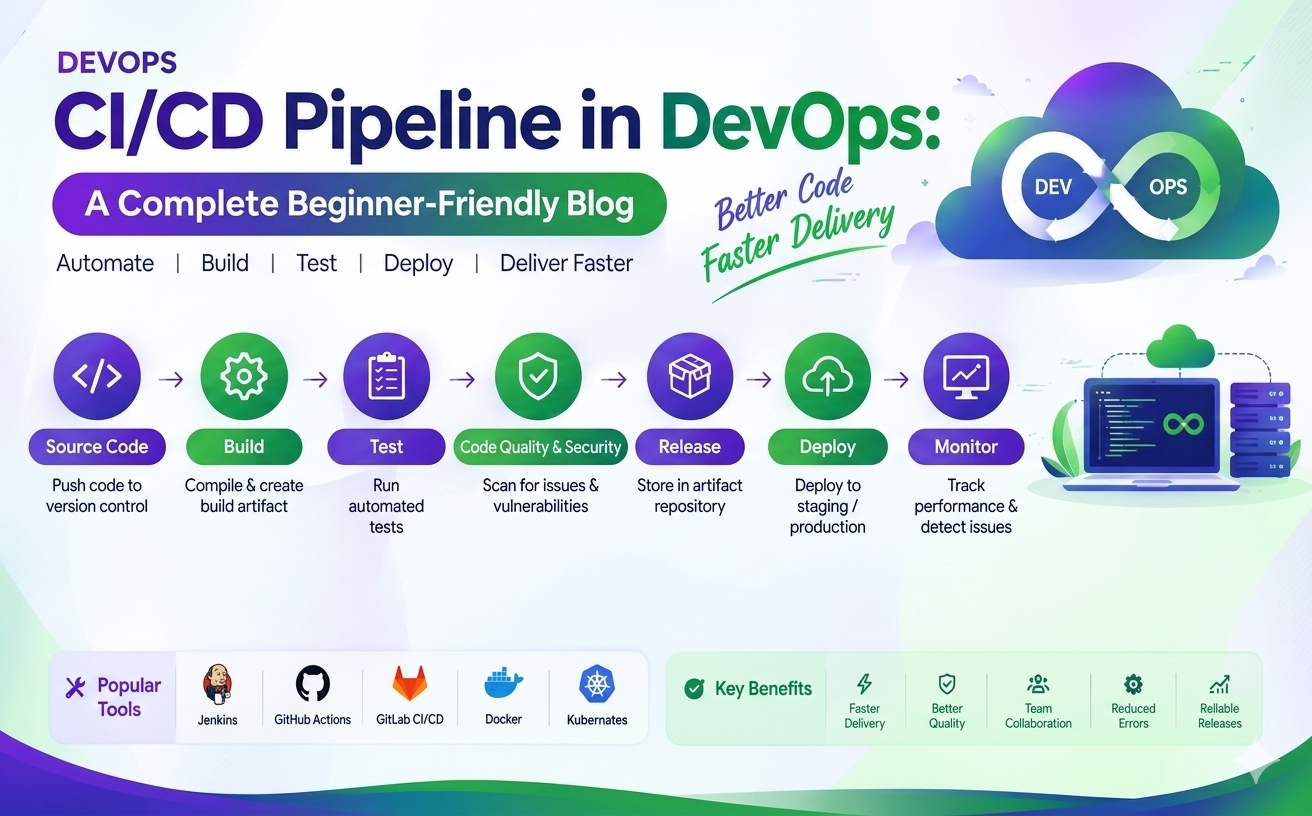
A typical Azure DevOps workflow may include:
Code → Build → Test → Release → Deploy → Monitor
Azure DevOps and other Microsoft tools can help teams automate these stages and improve software delivery.
Microsoft Azure vs Traditional IT Infrastructure
| Traditional IT | Microsoft Azure |
|---|---|
| Physical servers | Virtual cloud resources |
| Hardware purchase required | Resources available on demand |
| High upfront investment | Usage-based pricing for many services |
| Manual infrastructure scaling | Flexible scaling |
| Hardware maintenance required | Microsoft manages underlying cloud infrastructure for many services |
| Limited physical capacity | Access to scalable cloud resources |
| Longer deployment time | Faster resource provisioning |
Who Uses Microsoft Azure?
Microsoft Azure is used by organizations of different sizes and across many industries.
Common users include:
Startups
Small businesses
Large enterprises
Government organizations
Educational institutions
Software development teams
IT infrastructure teams
DevOps teams
Data and AI teams
Why Should You Learn Microsoft Azure?
Azure is an important platform for people interested in modern IT and cloud careers.
Learning Azure can be useful for aspiring:
Cloud Engineers
Azure Administrators
DevOps Engineers
Cloud Architects
System Administrators
Software Developers
Data Engineers
AI and Machine Learning Engineers
Cybersecurity Professionals
A beginner can start with basic cloud concepts and gradually learn Azure services such as Virtual Machines, Storage, Virtual Networks, Identity, Databases, Containers, and DevOps tools.
Conclusion
Microsoft Azure is a powerful cloud computing platform that provides organizations with computing, storage, networking, databases, security, AI, DevOps, and many other cloud services.
By moving from traditional physical infrastructure to cloud-based services, organizations can improve scalability, flexibility, deployment speed, and operational efficiency.
Whether you are a student, fresher, developer, system administrator, DevOps engineer, or IT professional, learning Microsoft Azure can provide a strong foundation for building a career in cloud computing and modern IT.
In simple words, Microsoft Azure helps organizations build, deploy, manage, and scale technology solutions in the cloud.